dcc-validate
Validation tool to check a DCC file complies to all rules of its XSD schema file.
dcc-validate [-h] [-v VERSION] [-m MODE] [-o OUTPUT] [--ignore-cache] DCC_FILE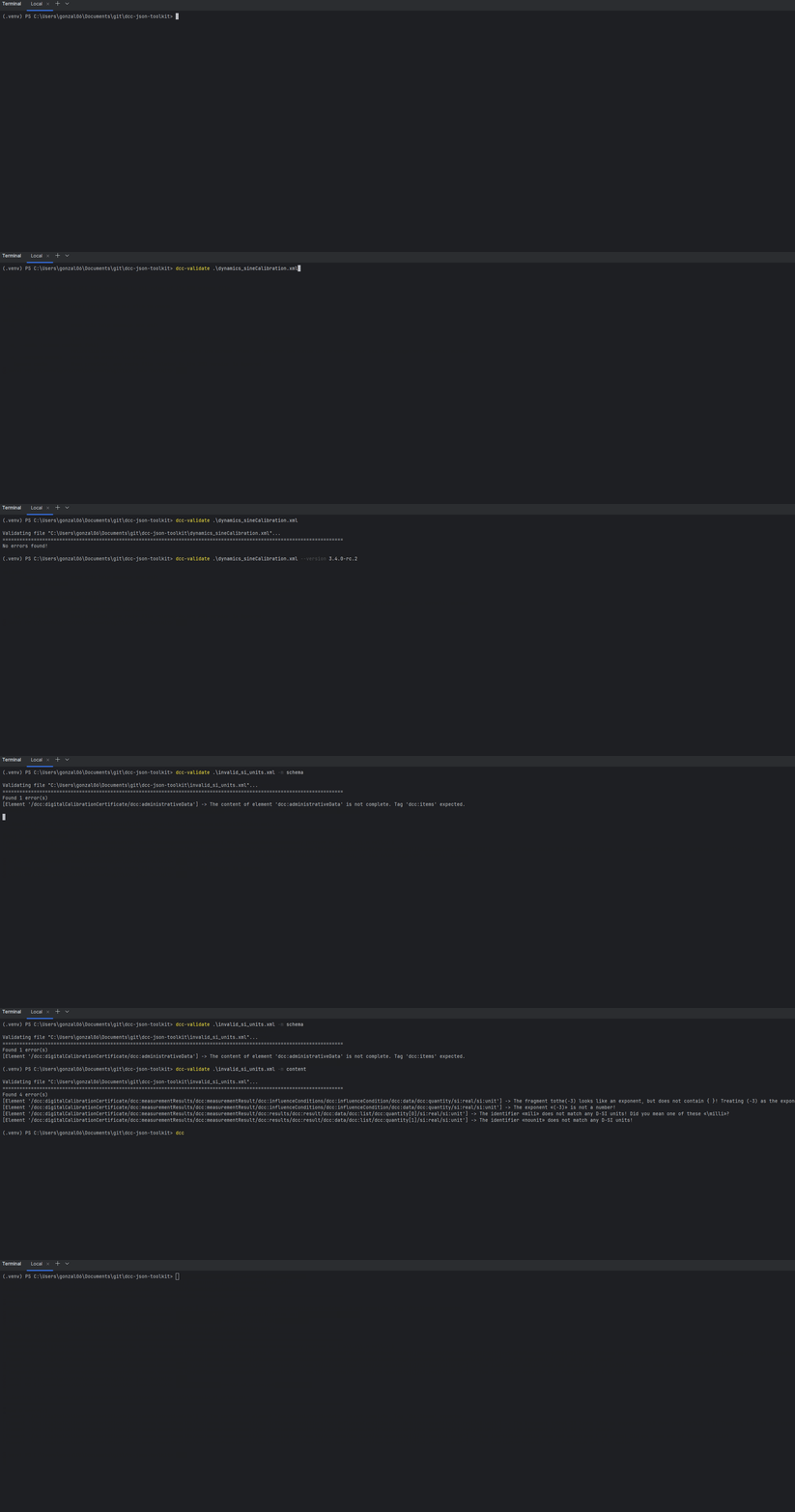
Arguments
DCC_FILE
Positional argument that points to the local path where the DCC file is stored. This argument is always required.
-v, --version <xsd_version>
Used schema version to define the DCC rules. If not specified, the input file is then scanned to find out which version is specified in it.
Specifying the version also allows any DCC to be compared with other releases, displaying then the main differences.
Example
$ dcc-validate .\v3.4.0-rc.2\dynamics_sineCalibration.xml

Validating file ".\v3.4.0-rc.2\dynamics_sineCalibration.xml"...
========================================================================================================================
No errors found.

$ dcc-validate .\v3.4.0-rc.2\dynamics_sineCalibration.xml -v 3.3.0

Validating file ".\v3.4.0-rc.2\dynamics_sineCalibration.xml"...
========================================================================================================================
Found 3 error(s)
[Element '/dcc:digitalCalibrationCertificate'] -> value doesn't match any pattern of ['3\\.3\\.0']: `3.4.0-rc.2`
[Element '/dcc:digitalCalibrationCertificate/dcc:measurementResults/dcc:measurementResult/dcc:results/dcc:result/dcc:data/dcc:list'] -> 'tableDimension' attribute not allowed for element: `{'tableDimension': '1'}`
[Element '/dcc:digitalCalibrationCertificate/dcc:measurementResults/dcc:measurementResult/dcc:results/dcc:result/dcc:data/dcc:list/dcc:quantity[1]'] -> 'index' attribute not allowed for element: `{'refType': 'vib_frequency vib_nominalFrequency', 'index': '0'}`
Tip
The comparison of DCCs among different versions can be helpful to understand the differences or to check whether a file can be easily migrated among versions.
-m, --mode {schema,content,full}
Used mode to validate the provided DCC. Available modes are:
- schema (default): Only the schema rules will be considered for validating the DCC.
- content: Conformity checks on the DCC contents.
- full: All previous checks are considered.
$ dcc-validate .\invalid_si_units.xml

Validating file ".\invalid_si_units.xml"...
========================================================================================================================
Found 1 error(s)
[Element '/dcc:digitalCalibrationCertificate/dcc:administrativeData'] -> The content of element 'dcc:administrativeData' is not complete. Tag 'dcc:items' expected.

$ dcc-validate .\invalid_si_units.xml --mode content

Validating file ".\invalid_si_units.xml"...
========================================================================================================================
Found 4 error(s)
[Element '/dcc:digitalCalibrationCertificate/dcc:measurementResults/dcc:measurementResult/dcc:influenceConditions/dcc:influenceCondition/dcc:data/dcc:quantity/si:real/si:unit'] -> The fragment tothe(-3) looks like an exponent, but does not contain { }! Treating (-3) as the exponent!
[Element '/dcc:digitalCalibrationCertificate/dcc:measurementResults/dcc:measurementResult/dcc:influenceConditions/dcc:influenceCondition/dcc:data/dcc:quantity/si:real/si:unit'] -> The exponent «(-3)» is not a number!
[Element '/dcc:digitalCalibrationCertificate/dcc:measurementResults/dcc:measurementResult/dcc:results/dcc:result/dcc:data/dcc:list/dcc:quantity[0]/si:real/si:unit'] -> The identifier «mili» does not match any D-SI units! Did you mean one of these «\milli»?
[Element '/dcc:digitalCalibrationCertificate/dcc:measurementResults/dcc:measurementResult/dcc:results/dcc:result/dcc:data/dcc:list/dcc:quantity[1]/si:real/si:unit'] -> The identifier «nounit» does not match any D-SI units!

$ dcc-validate .\invalid_si_units.xml --mode full

Validating file ".\invalid_si_units.xml"...
========================================================================================================================
Found 5 error(s)
[Element '/dcc:digitalCalibrationCertificate/dcc:administrativeData'] -> The content of element 'dcc:administrativeData' is not complete. Tag 'dcc:items' expected.
[Element '/dcc:digitalCalibrationCertificate/dcc:measurementResults/dcc:measurementResult/dcc:influenceConditions/dcc:influenceCondition/dcc:data/dcc:quantity/si:real/si:unit'] -> The fragment tothe(-3) looks like an exponent, but does not contain { }! Treating (-3) as the exponent!
[Element '/dcc:digitalCalibrationCertificate/dcc:measurementResults/dcc:measurementResult/dcc:influenceConditions/dcc:influenceCondition/dcc:data/dcc:quantity/si:real/si:unit'] -> The exponent «(-3)» is not a number!
[Element '/dcc:digitalCalibrationCertificate/dcc:measurementResults/dcc:measurementResult/dcc:results/dcc:result/dcc:data/dcc:list/dcc:quantity[0]/si:real/si:unit'] -> The identifier «mili» does not match any D-SI units! Did you mean one of these «\milli»?
[Element '/dcc:digitalCalibrationCertificate/dcc:measurementResults/dcc:measurementResult/dcc:results/dcc:result/dcc:data/dcc:list/dcc:quantity[1]/si:real/si:unit'] -> The identifier «nounit» does not match any D-SI units!
Important
Running modes content or full need of additional requirements.
Make sure the tool is installed with either pip install dcc-json-toolkit[content] or pip install dcc-json-toolkit[full].
-o, --output OUTPUT
Path to the file where to export all errors. The errors are printed on the terminal only when no output is specified.
--ignore-cache
Flag argument to specify whether to work with the cache files or with the latest published files. Only when the argument is provided at the call, the algorithm will search for the online published files, ignoring any cache file. If the argument is not provided and there is no existing cache, a cache for the
Note
Each publish file if stored at a URL https://ptb.de/dcc/v{VERSION}/dcc.xsd, e.g.: https://ptb.de/dcc/v3.3.0/dcc.xsd.