dcc-cache
Manager to manually control the local cache related with the XSD files with the rules for every DCC. It creates a simple terminal UI to cache new files, show the current cache or clean the cache.
All cache files are always stored at ~/.cache/PTB for Linux and ~/AppData/Local/PTB for Windows.
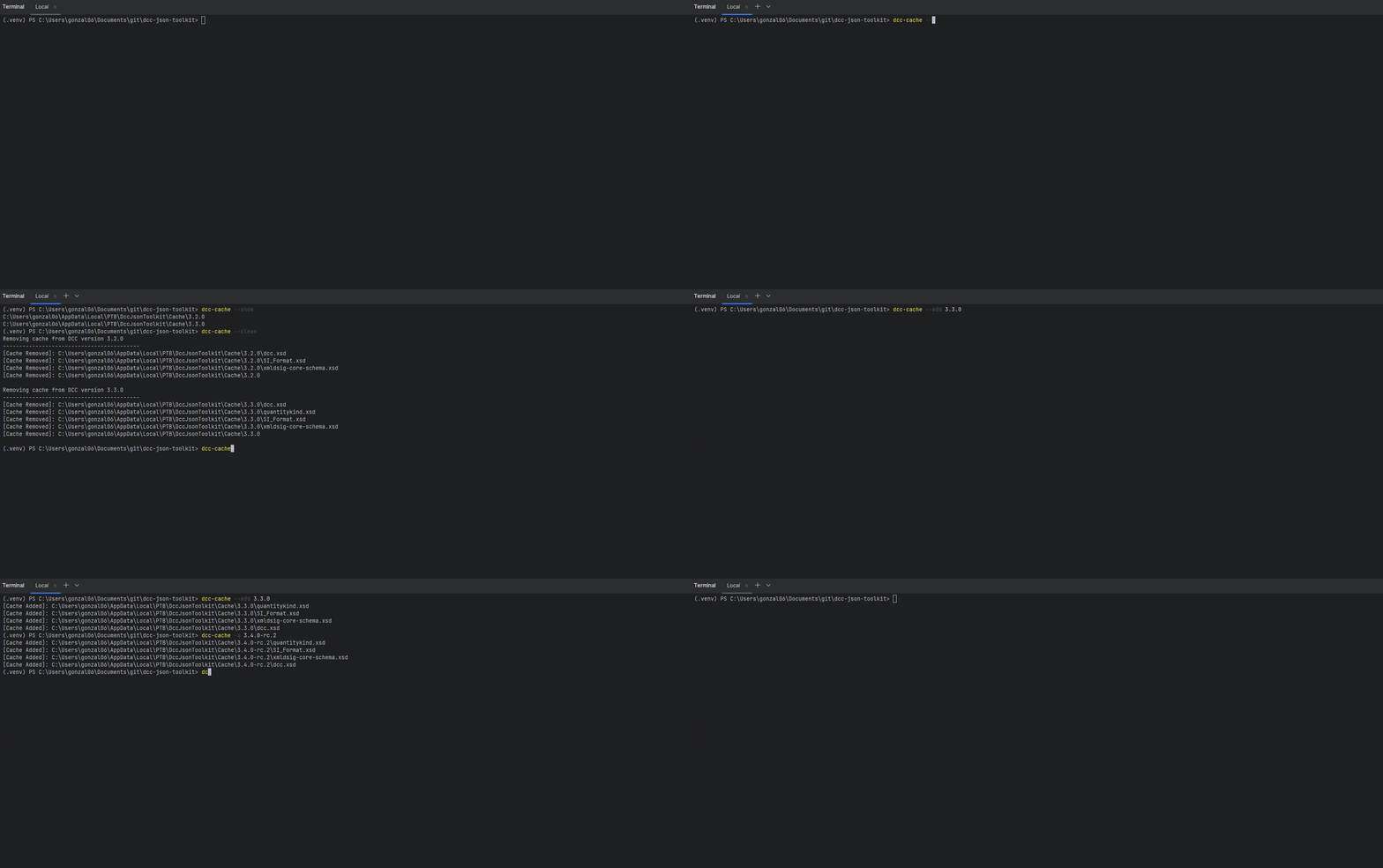
dcc-cache [-h] [--uri URI] [-s | -c | -a | -U] [VERSION]The cache works directly over released versions of the XSD file. Each cache version creates a new folder with the same name as the version.
Arguments
VERSION
Positional argument defining a specific version for the XSD file. The version is usually defined with the Semantic Versioning structure ("X.Y.Z"), e.g.: "3.3.0".
The version can be specified either before or after any of the following action arguments in this documentation. If the version is not specified, then the selected action argument is applied over all cached version.
Tip
The argument is strictly required for the --add and --update actions.
However, the argument is optional for the other actions.
See their examples for a real use-case.
Note
The version should not start with 'v'. Any non-numeric character should be reserved only for the modifiers, following the Semantic Versioning rules.
The following parameters display examples of its use in the documentation.
-s, --show
Displays the absolute path of all cached files.
Depending on the VERSION argument being provided, it displays either:
- The files of a specific DCC version, when the argument was provided.
- All root folders of every cached version, when the argument was not provided.
dcc-cache --show

C:\Users\User\AppData\Local\PTB\DccJsonConverter\Cache\3.3.0

dcc-cache -s 3.3.0

C:\Users\User\AppData\Local\PTB\DccJsonConverter\Cache\3.3.0\dcc.xsd
C:\Users\User\AppData\Local\PTB\DccJsonConverter\Cache\3.3.0\quantitykind.xsd
C:\Users\User\AppData\Local\PTB\DccJsonConverter\Cache\3.3.0\SI_Format.xsd
C:\Users\User\AppData\Local\PTB\DccJsonConverter\Cache\3.3.0\xmldsig-core-schema.xsd
-a, --add
Creates new local cache files of a DCC-XSD version that was not cached at the time.
This command works only for non-cached versions, to modify any cached file consider using --update or --clean
The action raises errors when:
- No version is specified.
- The specified version does not have any XSD released.
- The specified version is already in the local cache.
dcc-cache --add 3.4.0-rc.2

[Cache Added]: C:\Users\User\AppData\Local\PTB\DccJsonConverter\Cache\3.4.0-rc.2\quantitykind.xsd
[Cache Added]: C:\Users\User\AppData\Local\PTB\DccJsonConverter\Cache\3.4.0-rc.2\SI_Format.xsd
[Cache Added]: C:\Users\User\AppData\Local\PTB\DccJsonConverter\Cache\3.4.0-rc.2\xmldsig-core-schema.xsd
[Cache Added]: C:\Users\User\AppData\Local\PTB\DccJsonConverter\Cache\3.4.0-rc.2\dcc.xsd
-U, --update
Overwrites the existing cache files of an already existing cached version.
Consider using --add if the XSD version was not cached yet.
The action raises errors when:
- No version is specified.
- The specified version does not exist in the local cache.
dcc-cache 3.4.0-rc.2 -U

[Cache Added]: C:\Users\User\AppData\Local\PTB\DccJsonConverter\Cache\3.4.0-rc.2\quantitykind.xsd
[Cache Added]: C:\Users\User\AppData\Local\PTB\DccJsonConverter\Cache\3.4.0-rc.2\SI_Format.xsd
[Cache Added]: C:\Users\User\AppData\Local\PTB\DccJsonConverter\Cache\3.4.0-rc.2\xmldsig-core-schema.xsd
[Cache Added]: C:\Users\User\AppData\Local\PTB\DccJsonConverter\Cache\3.4.0-rc.2\dcc.xsd
-c, --clean
Removes the cache files.
Based on the VERSION being provided, it removes:
- All cached files, when the version was not specified.
- Only the files related to the specified version.
dcc-cache --clean

Removing cache from DCC version 3.3.0
------------------------------------------
[Cache Removed]: C:\Users\gonzal06\AppData\Local\PTB\DccJsonConverter\Cache\3.3.0\dcc.xsd
[Cache Removed]: C:\Users\gonzal06\AppData\Local\PTB\DccJsonConverter\Cache\3.3.0\quantitykind.xsd
[Cache Removed]: C:\Users\gonzal06\AppData\Local\PTB\DccJsonConverter\Cache\3.3.0\SI_Format.xsd
[Cache Removed]: C:\Users\gonzal06\AppData\Local\PTB\DccJsonConverter\Cache\3.3.0\xmldsig-core-schema.xsd
[Cache Removed]: C:\Users\gonzal06\AppData\Local\PTB\DccJsonConverter\Cache\3.3.0

Removing cache from DCC version 3.4.0-rc.2
------------------------------------------
[Cache Removed]: C:\Users\gonzal06\AppData\Local\PTB\DccJsonConverter\Cache\3.4.0-rc.2\dcc.xsd
[Cache Removed]: C:\Users\gonzal06\AppData\Local\PTB\DccJsonConverter\Cache\3.4.0-rc.2\quantitykind.xsd
[Cache Removed]: C:\Users\gonzal06\AppData\Local\PTB\DccJsonConverter\Cache\3.4.0-rc.2\SI_Format.xsd
[Cache Removed]: C:\Users\gonzal06\AppData\Local\PTB\DccJsonConverter\Cache\3.4.0-rc.2\xmldsig-core-schema.xsd
[Cache Removed]: C:\Users\gonzal06\AppData\Local\PTB\DccJsonConverter\Cache\3.4.0-rc.2
--uri <URI>
Link to where the 'dcc.xsd' file is released.
When this argument is not provided, it is automatically set to https://ptb.de/dcc/v{VERSION}/dcc.xsd where VERSION correlates to the version argument.
Note
The parameter is defined only for people that cannot access the previously mentioned URL or have their specific 'xsd' releases.